Day 59 Ansible Project

🛠️ Exploring DevOps tools: Docker, Kubernetes, Jenkins, Terraform, and more. 🌐Let's connect, learn, and grow together.
Day 59 of #90daysofdevops
Hey Techies! Welcome to this blog
In this blog, we are going to start with Ansible Project.
Prerequisites
Ansible master and two Ubuntu hosts set up on EC2 instances.
Process to set up ansible is explained in this Blog
All the code used in this tutorial is available in this Repository
Ansible Playbook Overview
---
- name: Install Nginx and deploy a custom webpage
  hosts: your_ubuntu_servers  # Replace with your target server(s) or inventory group
  become: true  # Run tasks with elevated privileges

  tasks:
    - name: Update package cache
      apt:
        update_cache: yes

    - name: Install Nginx
      package:
        name: nginx
        state: present

    - name: Start Nginx service
      service:
        name: nginx
        state: started
        enabled: yes

    - name: Copy custom webpage files
      copy:
        src: /path/to/your_webpage_files/
        dest: /var/www/html/
Explanation
Update package cache:
- Ansible task using the
aptmodule to update the package cache on the target servers.
- Ansible task using the
Install Nginx:
- Ansible task utilizing the
packagemodule to install Nginx on the target servers.
- Ansible task utilizing the
Start Nginx service:
- Ansible task with the
servicemodule to start the Nginx service on the target servers and enable it to start on boot.
- Ansible task with the
Copy custom webpage files:
- Ansible task using the
copymodule to copy the custom webpage files from your specified source directory to the destination directory on the target servers.
- Ansible task using the
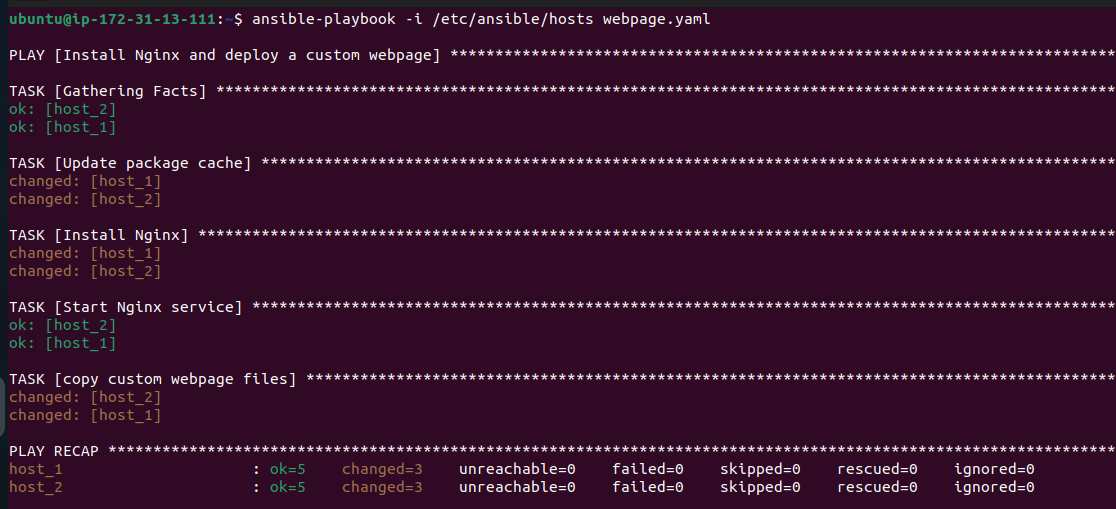
Running the Playbook: Execute the following command to run the playbook:
ansible-playbook -i /etc/ansible/hosts ansible_deploy.yaml
Verification
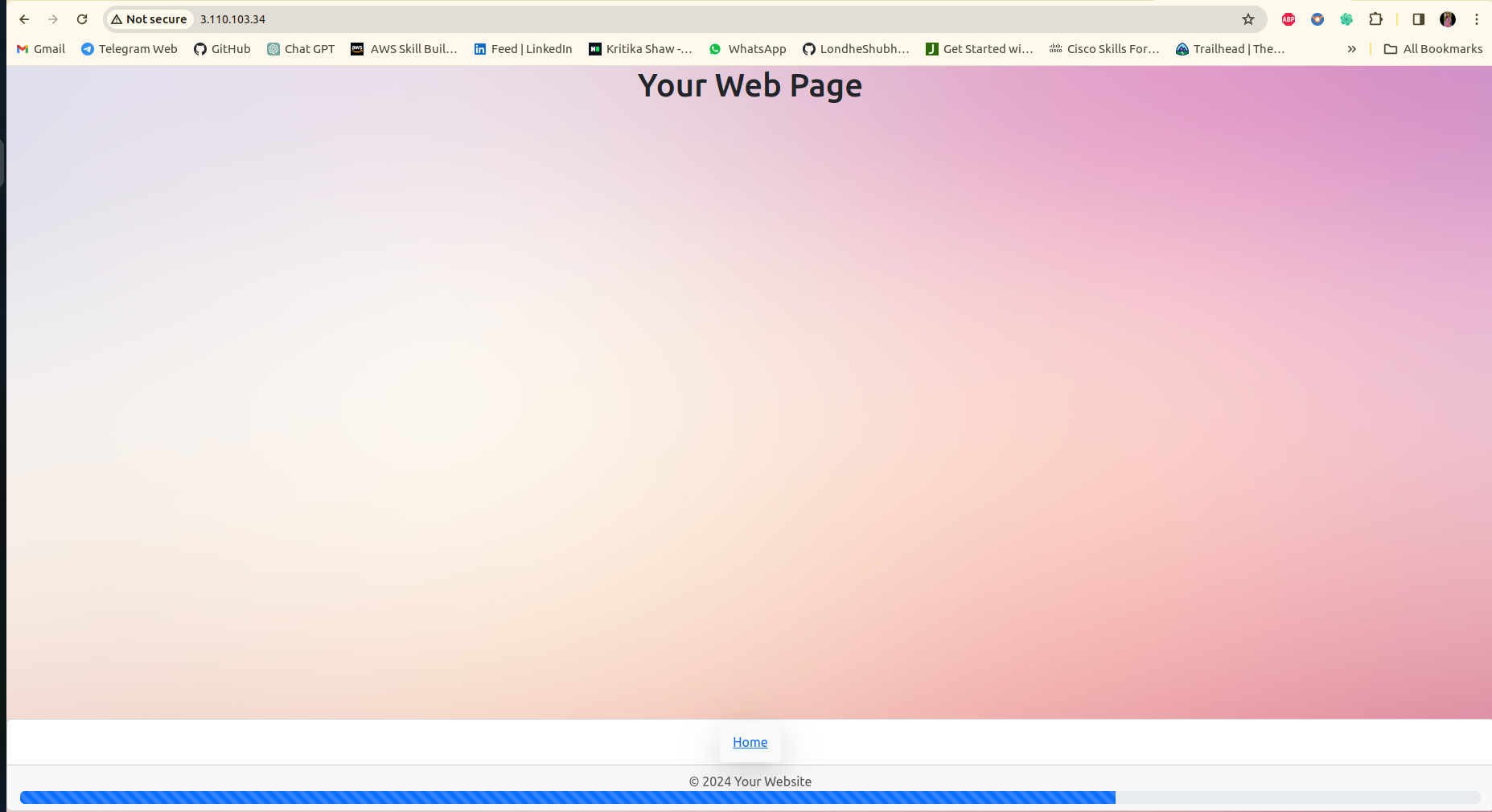
After the playbook execution is complete, visit the public IP of any host server in your web browser to verify if the webpage has been successfully deployed.
Conclusion
Automating the deployment of web services with Ansible simplifies the management and ensures consistency across multiple servers. This tutorial provides a clear and concise guide to deploying Nginx and a custom webpage using Ansible playbooks.
Thank you so much for taking the time to read till the end! Hope you found this blog informative and helpful.
Feel free to explore more of my content, and don't hesitate to reach out if need any assistance from me or in case of you have any questions.
Happy Learning!
~kritika :)
Connect with me: LinkedIn


